

Beacon
A tool · Free on GitHub, MIT
A report button for your Mac or iPhone app.
Your testers press it, and you get a GitHub issue that already says what they expected, what happened, how they got there and which build they were on.
A Swift package for macOS 26 and iOS 26 apps. No sign-up needed.The report you get
A tester's email says "it crashed". A Beacon report says which build, which device, and what they pressed.
Beacon asks the tester the three questions in the app, at the moment it happened, and attaches the version, the settings and the log for them.
How it works
In Claude Code, install the plugin and ask Claude to set up Beacon in your app. Or add the Swift package by hand.
The Help menu on a Mac, a settings screen on iPhone.
A bug, a feature request, a change request or feedback. A bug will not send without what they expected, what happened and the steps.
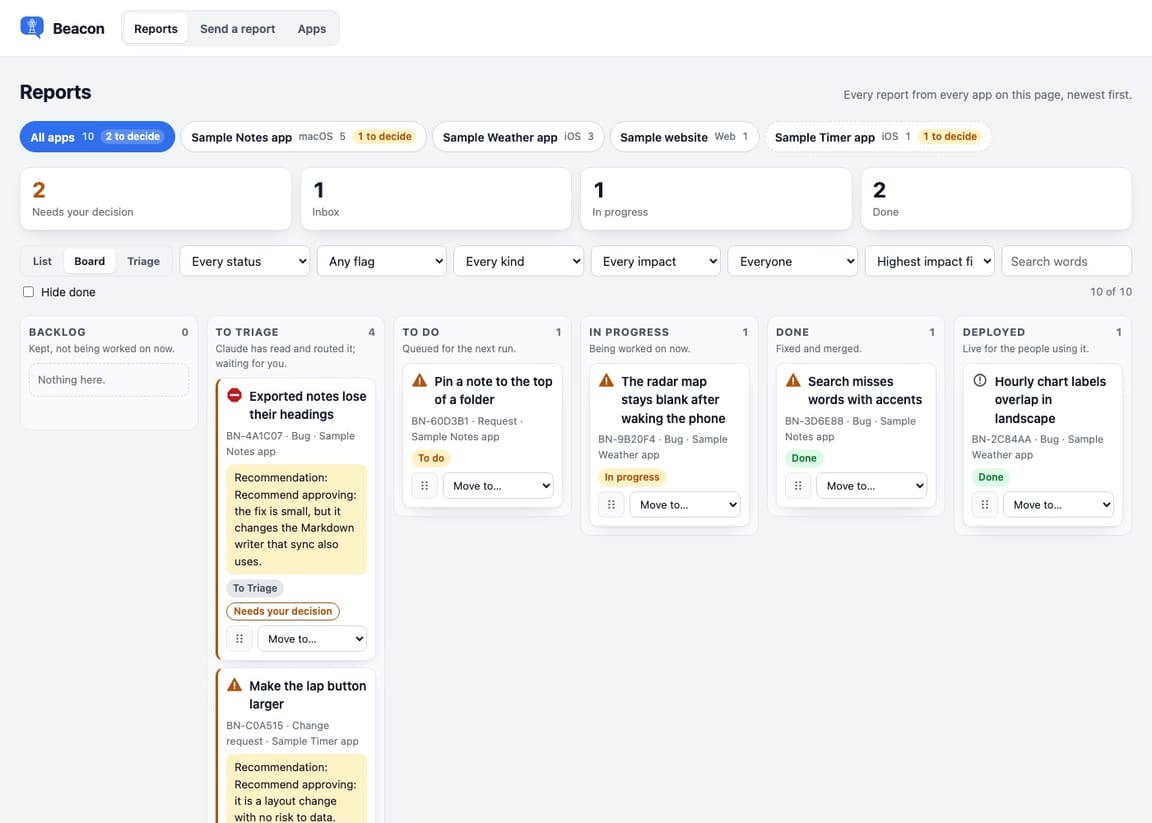
Each report becomes a labelled issue. A Claude session reproduces the bug before it touches anything, fixes only what is small, and writes what it did on a board you read.
What arrives with a report
The tester writes what they saw. The app attaches the rest.
- App version, build and commit
- OS and device
- Language, time zone, light or dark, text size
- The app's settings
- The last 400 lines of the log
- Screenshots and screen recordings
- Names and sizes of files in the folders the app names
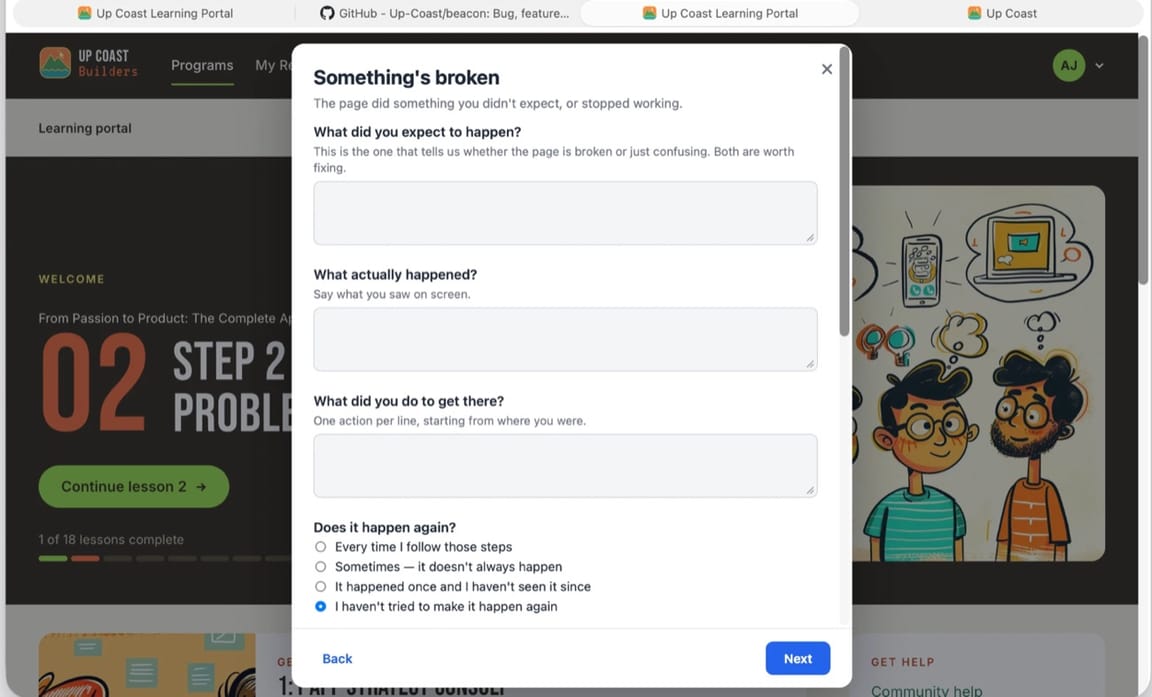
The sheet inside an app, as a tester sees it. Everything a developer usually has to ask for in the follow-up email is already there when the issue opens.
Bugs and triage
A bug cannot be sent without the steps, and triage reproduces it before touching code.
A bug needs what the tester expected, what happened and the steps before it sends. On a Mac, the on-device model reads the report before it goes and asks a follow-up if something is missing. It never rewrites what the tester wrote.
Triage tries to reproduce a bug three times on the build it came from. A fix is made only when it touches three files or fewer, and it is merged only after the app passes the tester's own steps. Everything bigger gets a written diagnosis for you.
Feature requests and feedback are labelled and left for you. Triage never builds a feature or writes to a tester.
File contents are never read, only names and sizes. Passwords and keys are masked before anything is sent. A page for testers lists every field a report carries, so you can hand it to them as the privacy notice.
Three ways to set it up, none tied to an Up Coast account: Claude alone, GitHub, or a relay so testers never need a GitHub account. The relay works for a website too.
From Abbey
These steps to reproduce can be really, really hard to get from people. They'll say things like, well, I logged in. No, I need to know what you did.
Always give the expected behaviour, the actual behaviour and the steps to reproduce for a bug. You'll just save yourself so much time.
Abbey Jackson, Up Coast
Two commands in Claude Code install it.
Free, MIT. In Claude Code, add the marketplace and install the plugin, then ask Claude to set up Beacon in your app.