
Point it at the page
A file, a whole folder, or your running app at http://localhost:3000. It opens in your browser with a small toolbar along the bottom.
A tool · Free, open source, MIT
Editdesk opens your page in the browser in its own font. When you change a word and press Enter, the change goes into the file the word came from, and you use no AI credits.
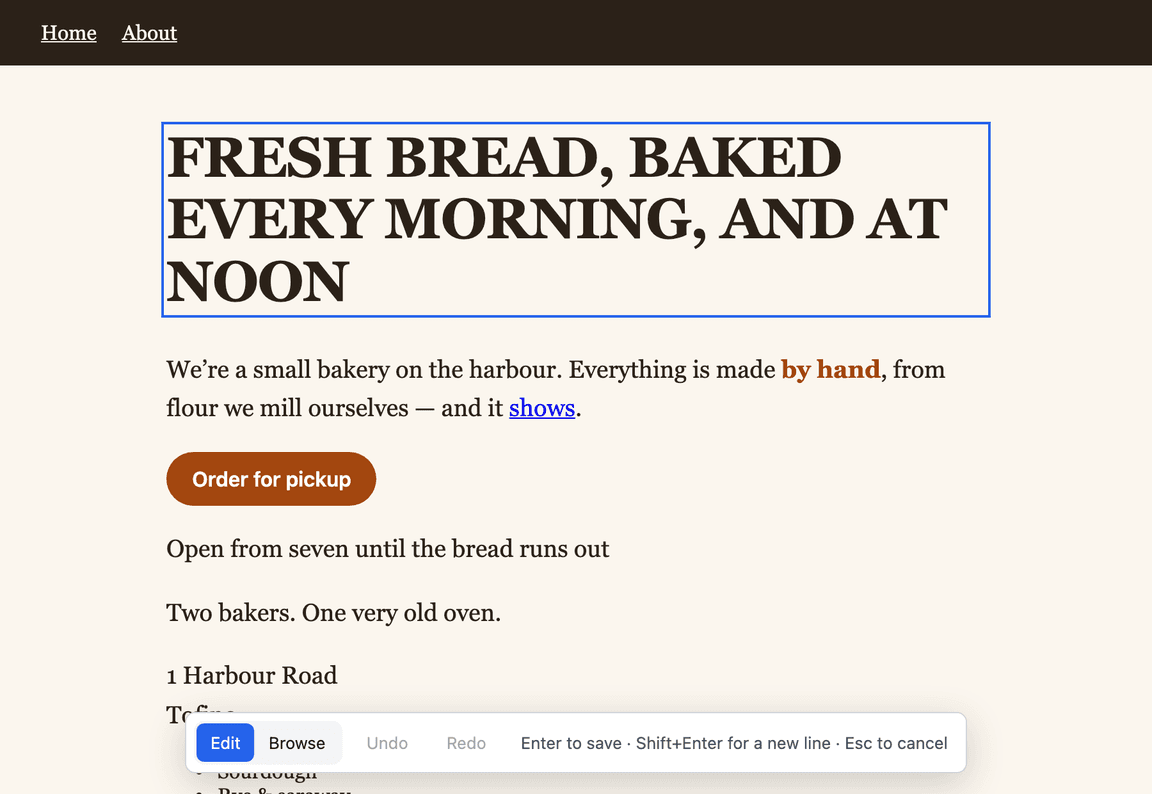
Editdesk opens a file, a folder, or your app on localhost.
The one-word problem
When an AI builds your page, every change goes back through the AI, and you pay for it in credits and in waiting.
FRESH BREAD, BAKED EVERY MORNING, AND AT NOON
We're a small bakery on the harbour. Everything is made by hand, from flour we mill ourselves.
Order for pickupHow it works
A file, a whole folder, or your running app at http://localhost:3000. It opens in your browser with a small toolbar along the bottom.
You type in the page's own font, size and colour, in place. Shift+Enter makes a new line, twice for a new paragraph. Esc puts it back.
The toolbar says where it went, for example "Saved to index.html:12". Undo puts the file back.
What it touches
A wording change costs nothing, sends nothing anywhere, and works offline once installed.
For an app, Editdesk finds the text in your source files, strings files included, and changes only those characters. If the same words appear in two places, it shows you both and asks which one you mean.
No dependency, no config file, no script tag. It writes to a file only when you save an edit.
Open a live site by its address and Editdesk gives you a list of every old and new wording, to send to whoever can change it.
What it does not do: it changes words, not formatting. Bold and links stay as they are, and text inside form fields, images and charts cannot be edited.
No sign-up. The docs cover a folder, a dev server and what happens to your source.